DLMan: The Modern Open Source Download Manager
A download manager that doesn't suck. Rust + Tauri. No Electron bloat.
Technologies Used
DLMan: The Modern Open Source Download Manager
DLMan is a cross-platform, open-source download manager for Windows, macOS, and Linux. It’s built around a shared Rust core with a desktop UI (Tauri + React) and a real CLI.
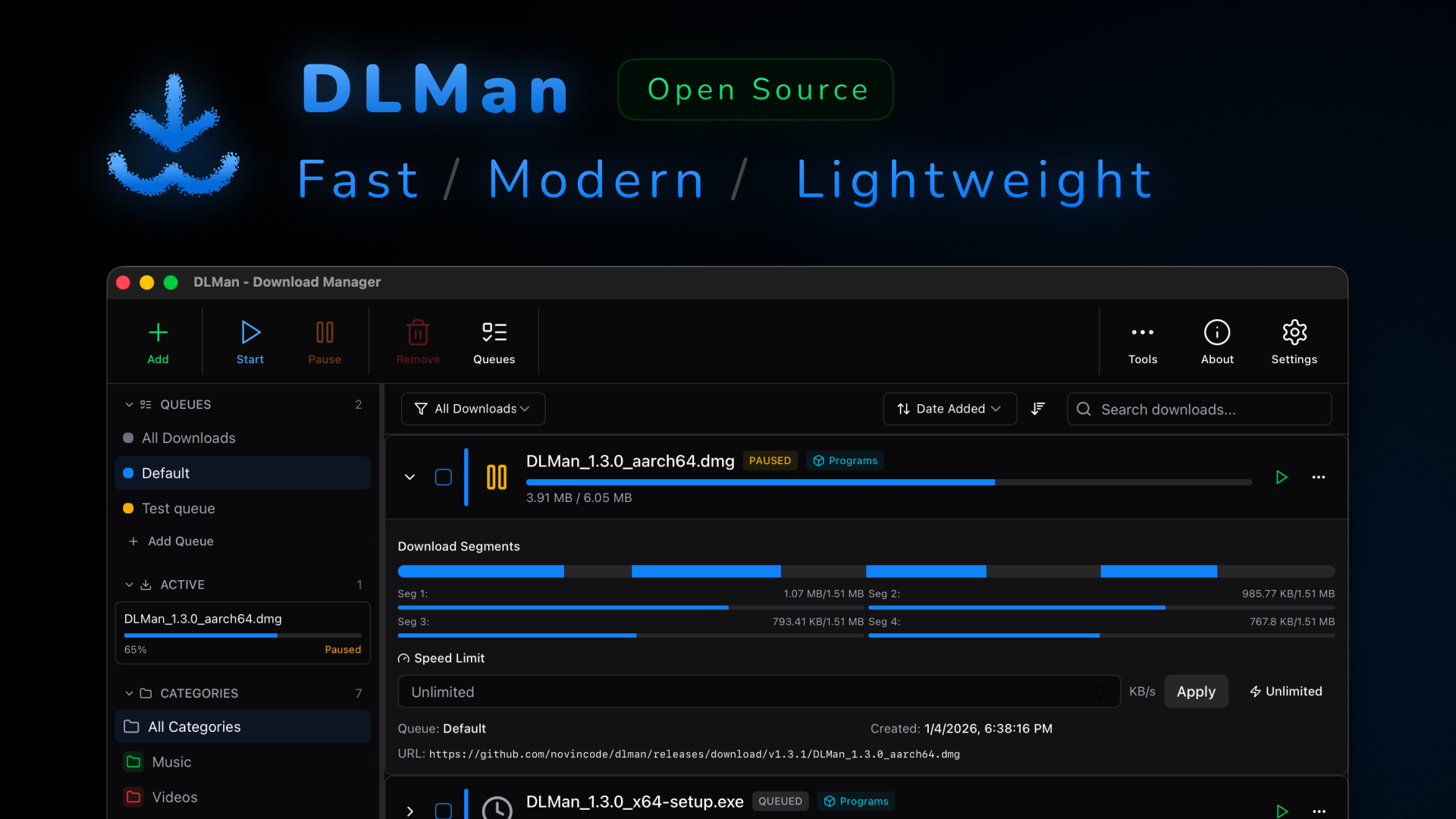
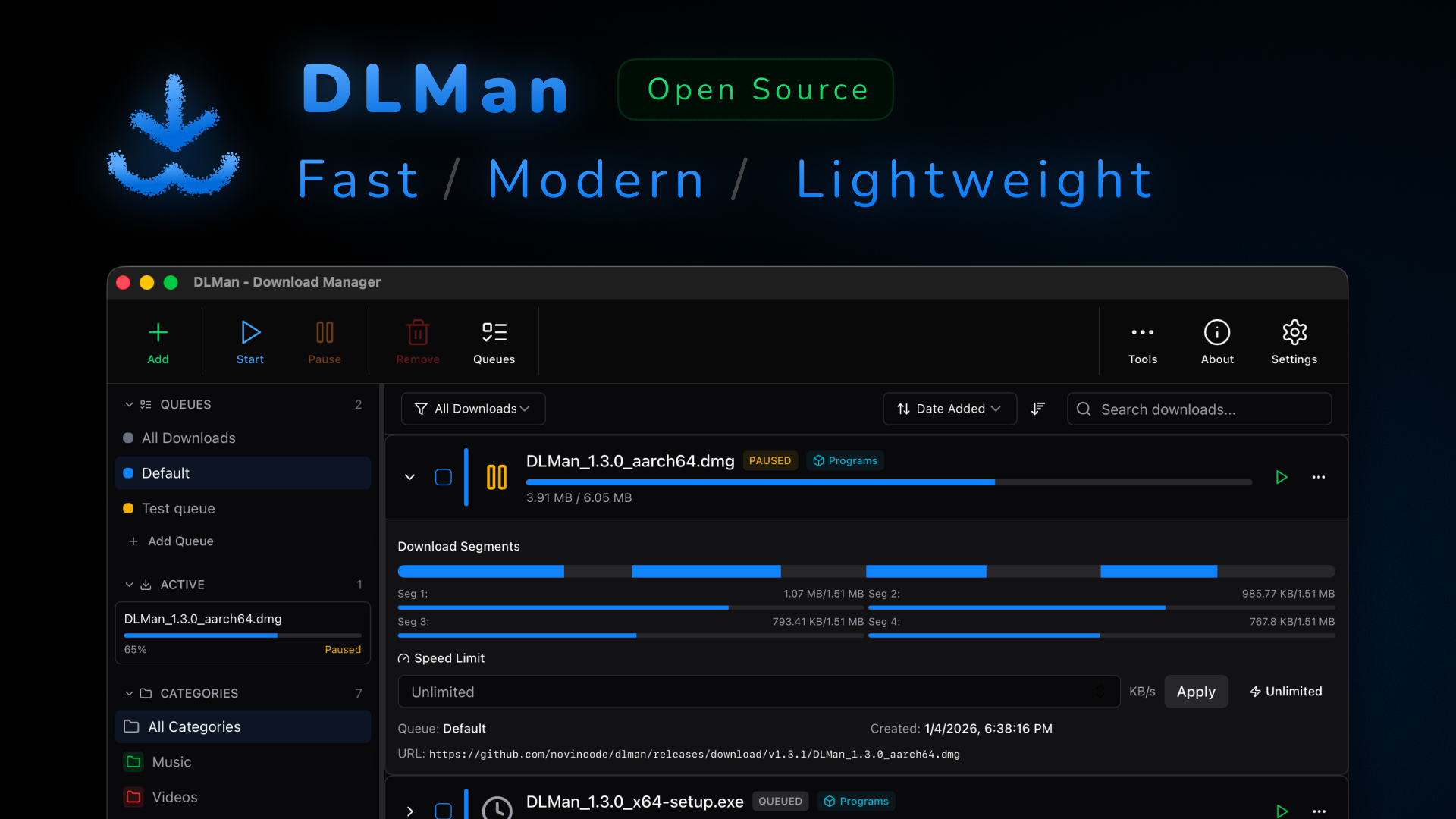
Clean UI, real progress, no weird hidden states.
The Problem (no fluff)
- Browser downloads are fine until the file is big, or your network is not.
- “Resume” often turns into “restart from 0%”.
- Most download managers are either outdated, closed source, bloated, or hard to trust.
- If you download a lot: you need queues, scheduling, speed limits, and a CLI.
The Solution
DLMan is a modern download manager with multi-segment downloads (up to 32 segments per file), crash-safe persistence via SQLite, and power-user control via queues, scheduling, and a full CLI.
- Multi-segment downloads: split a file into parts and download them in parallel.
- Range fallback: if the server doesn’t support ranges, DLMan falls back gracefully.
Visual Tour
Here’s what DLMan looks like when you actually use it.
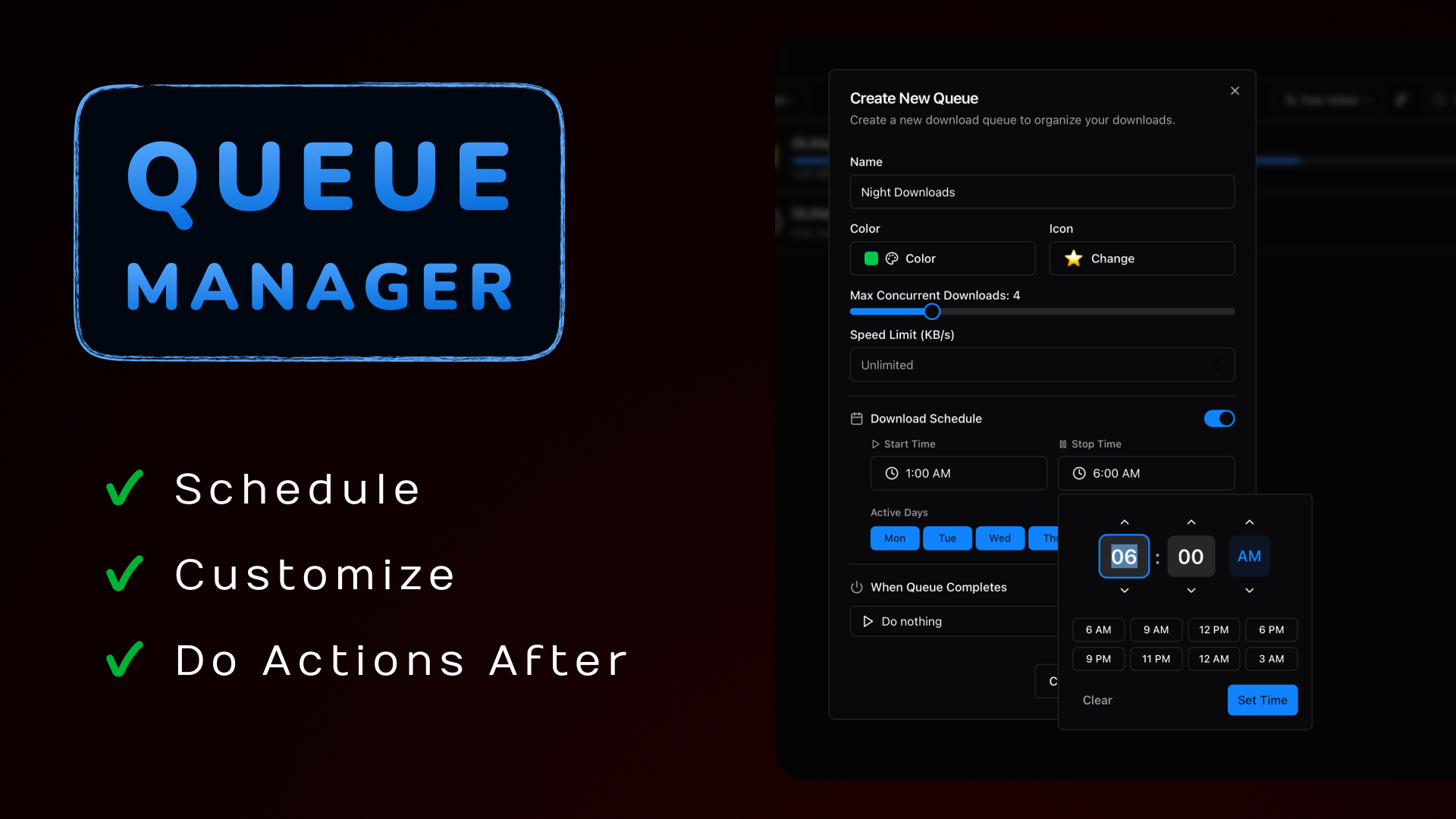
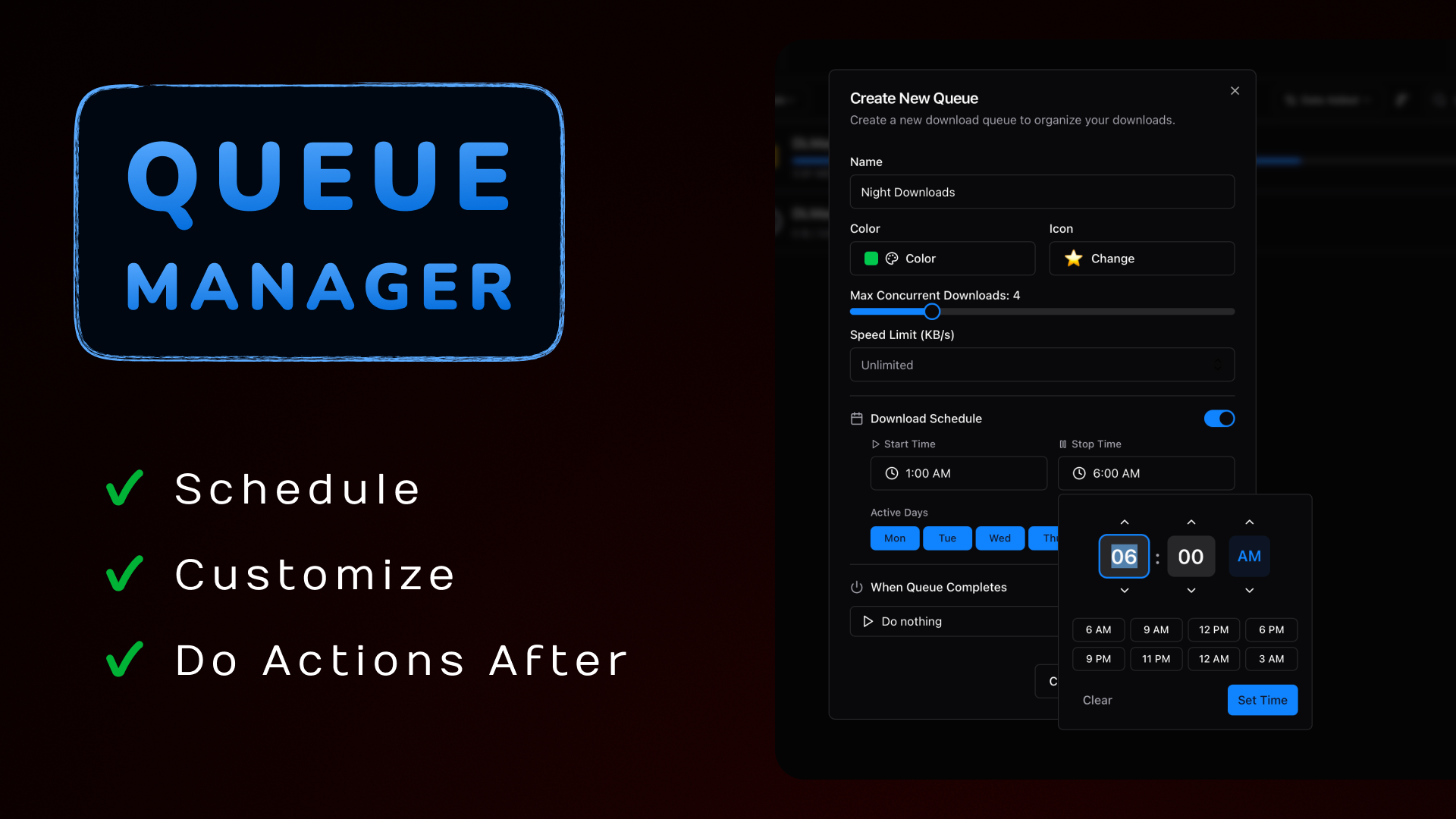
Queues + scheduling: set rules once, then forget about it.
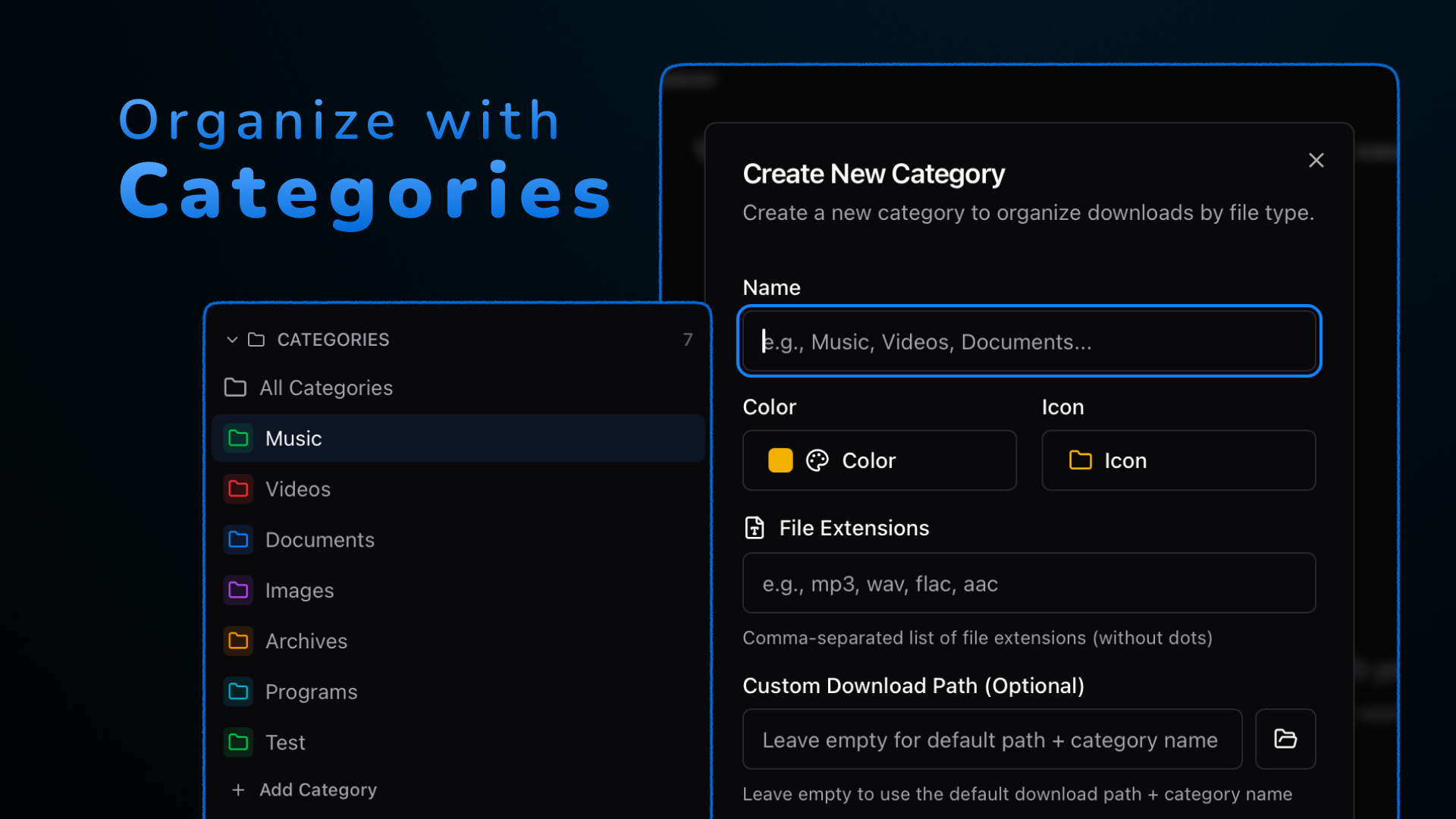
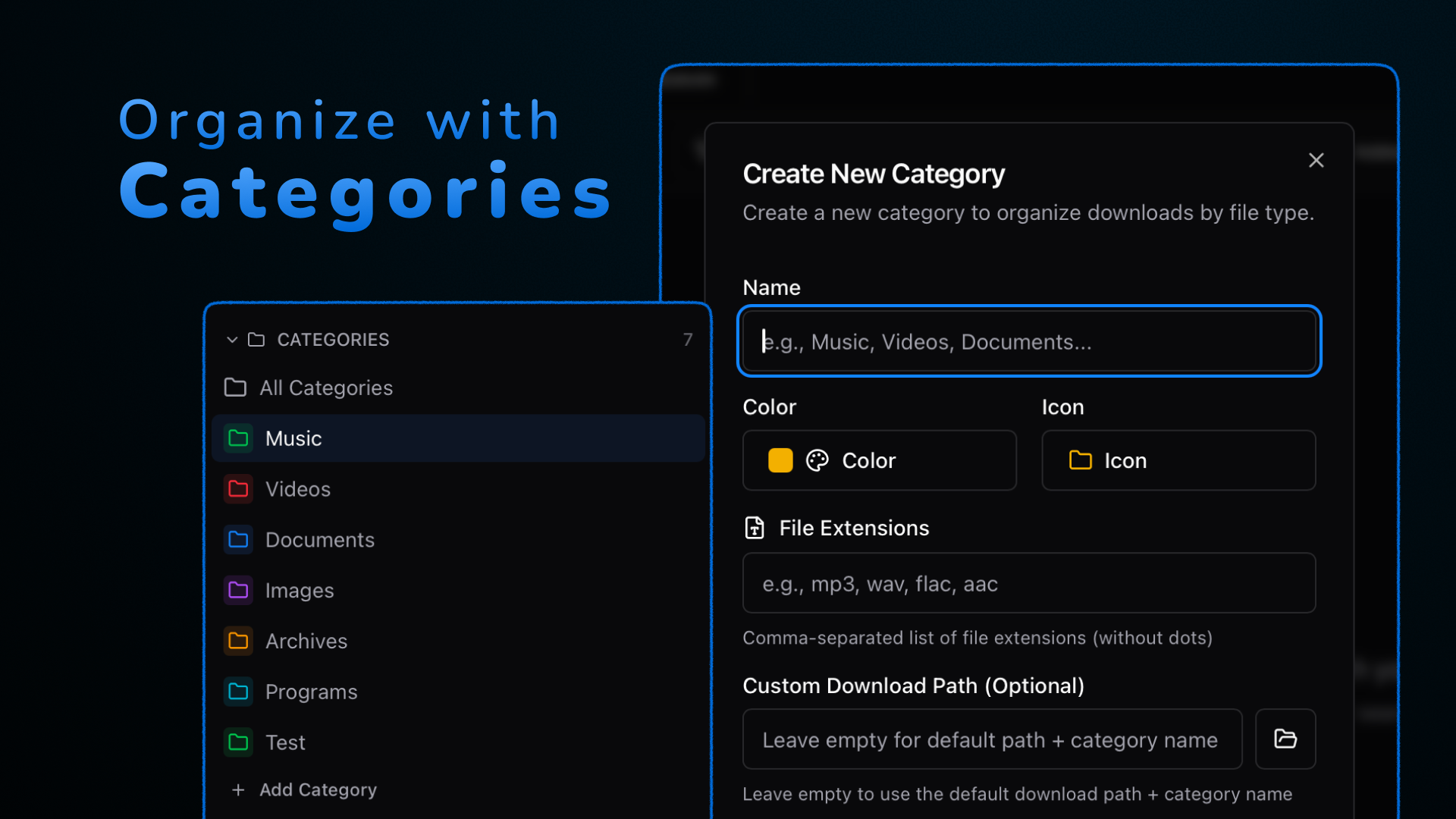
Categories map to folders so your downloads don’t become a landfill.
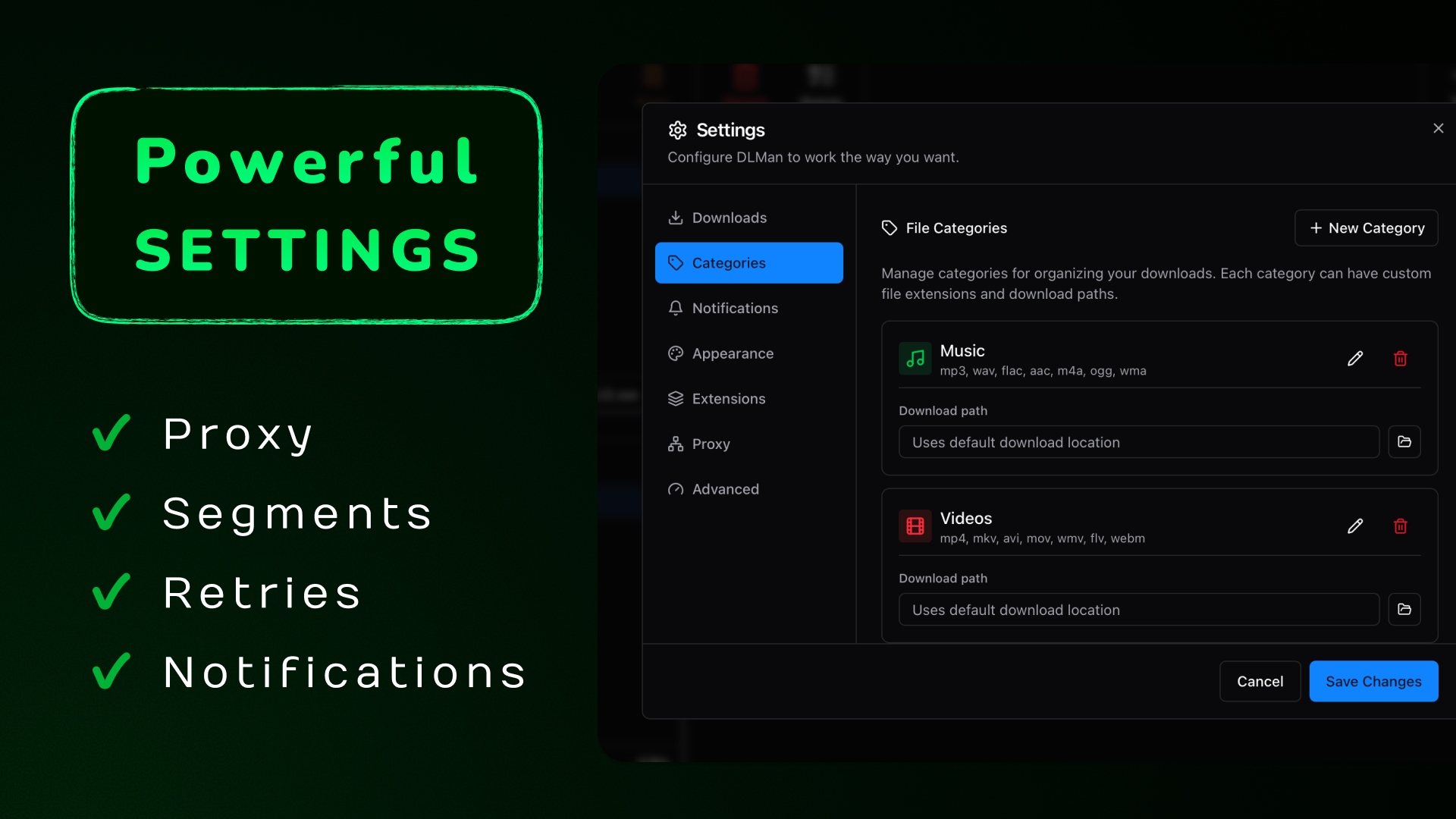
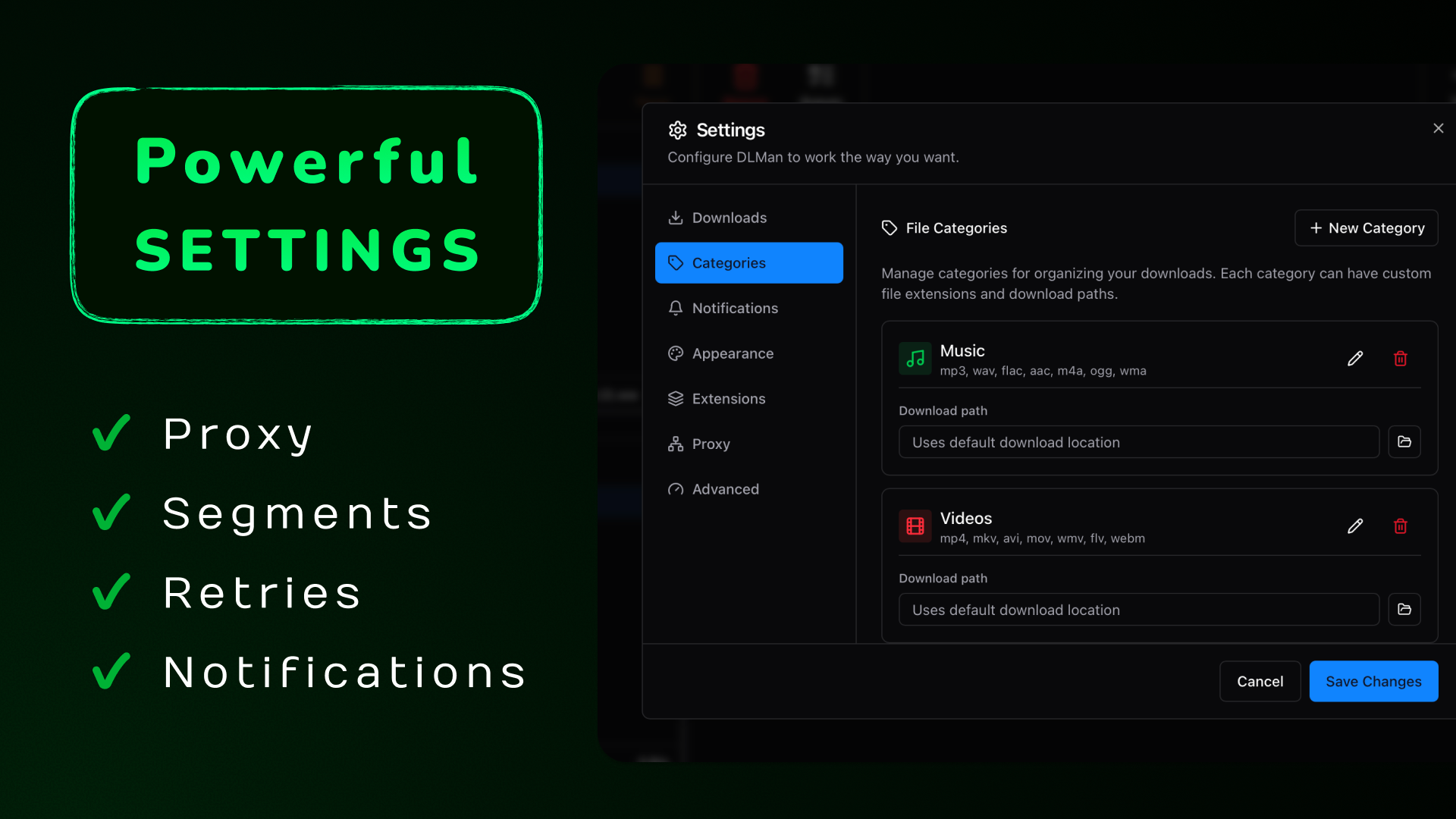
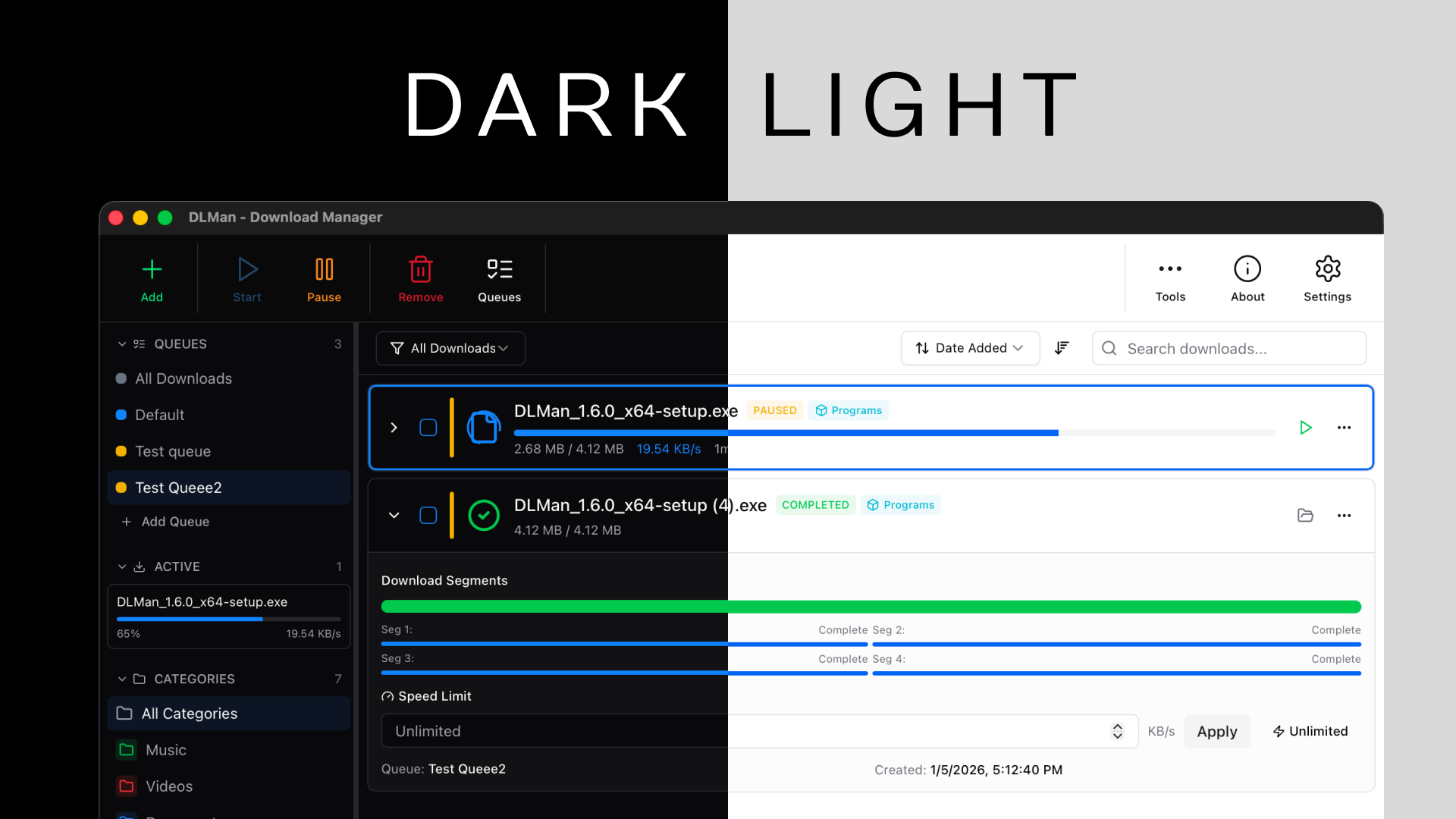
Everything important is reachable: segments, limits, retries, and behavior flags.
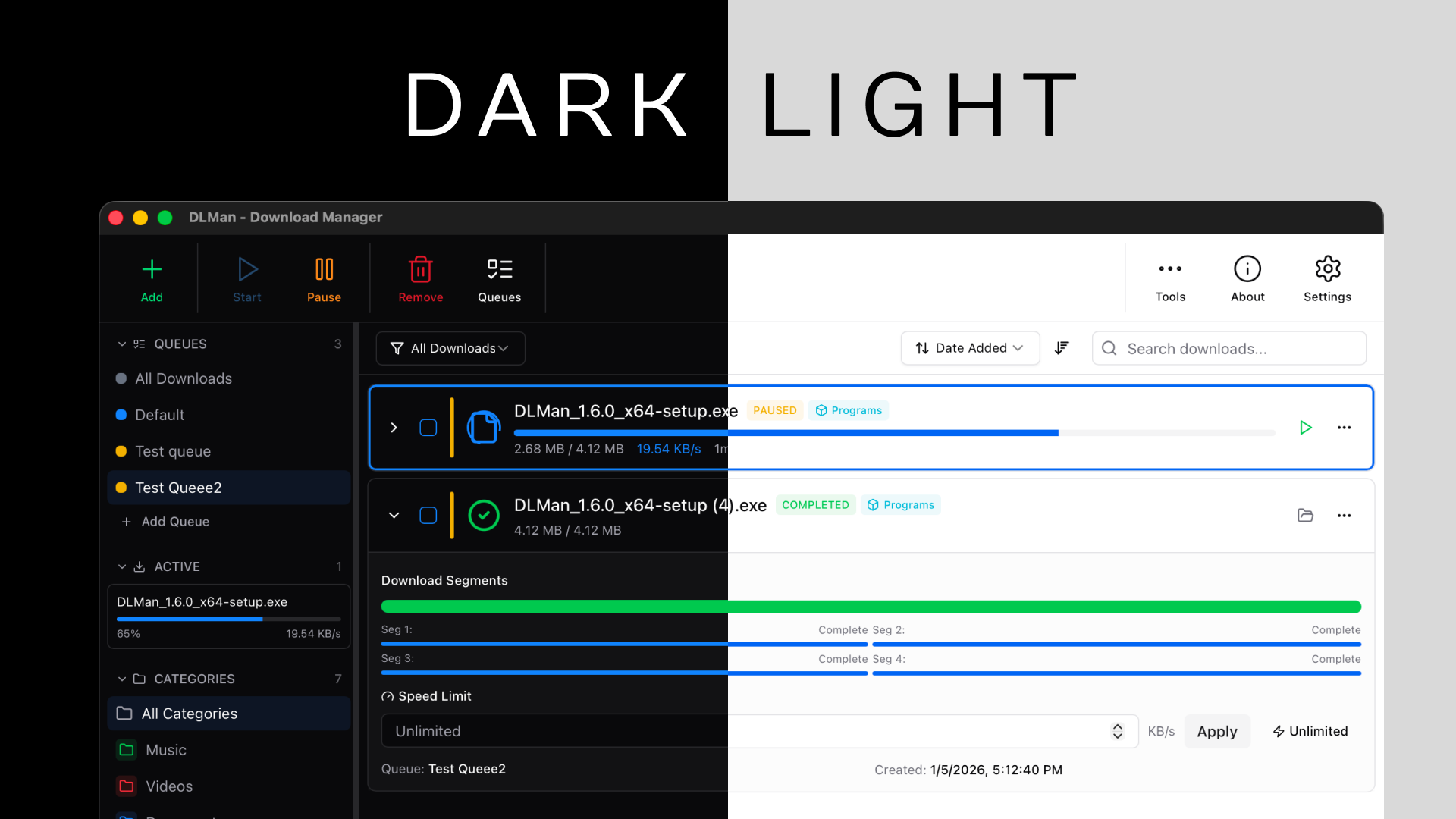
Dark and light themes. Your eyes can chill.
Architecture Deep Dive
Mission: build a free, modern download manager that makes IDM obsolete.
DLMan is a workspace with a desktop app, a CLI, and a shared core crate. This is the important part: desktop and CLI run the same engine, so features stay aligned.
CLI: Automation without babysitting
The CLI is not a “toy mode”. It uses the same engine as the desktop app, so it can list, pause/resume, manage queues, and import/export data.
Use Cases (real ones)
- Developers: SDKs, ISOs, containers, big artifacts, flaky Wi‑Fi.
- Researchers: datasets that take hours (and shouldn’t die at 92%).
- Power users: scheduled queues, speed caps, post-actions, and CLI workflows.
Limitations (being honest)
Get It / Contribute
- Download the latest release: GitHub Releases
- Star the repo: novincode/dlman
- Dev setup (fast path):
git clone https://github.com/novincode/dlman.git
cd dlman
pnpm install
pnpm tauri dev
If you want an easy first PR: docs, UX polish, and small bug fixes are always welcome.